
Location cards for iPhone
Send any place as a location card
Search a place or drop a pin anywhere on Earth. Blip turns it into a clean card with the map, place name, local time and weather, and sends it to any chat with an Apple Maps link.
Blip doesn’t change your iPhone’s GPS or Location Services.
Free to download · iPhone · iOS 17 or later · In‑app purchases
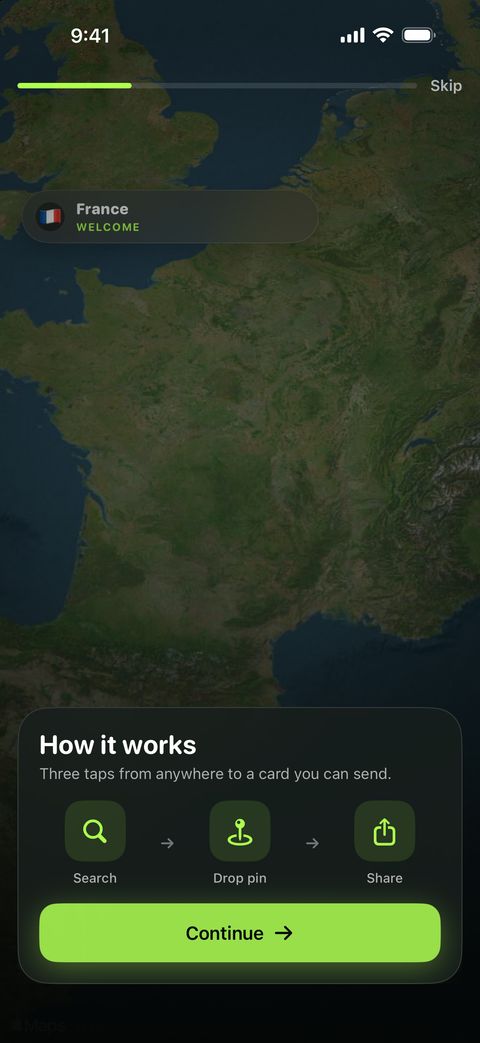
How it works
Three taps from anywhere to a card you can send
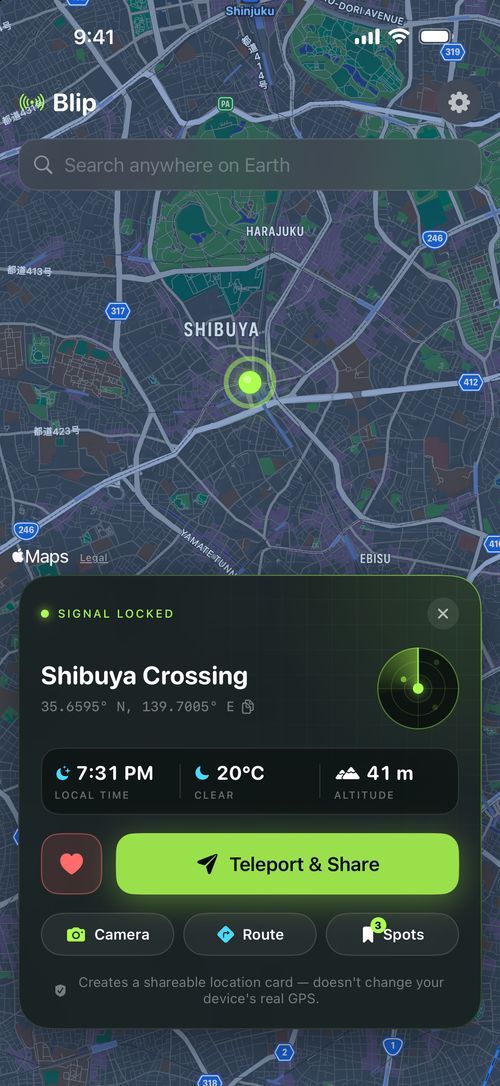
Search or drop a pin
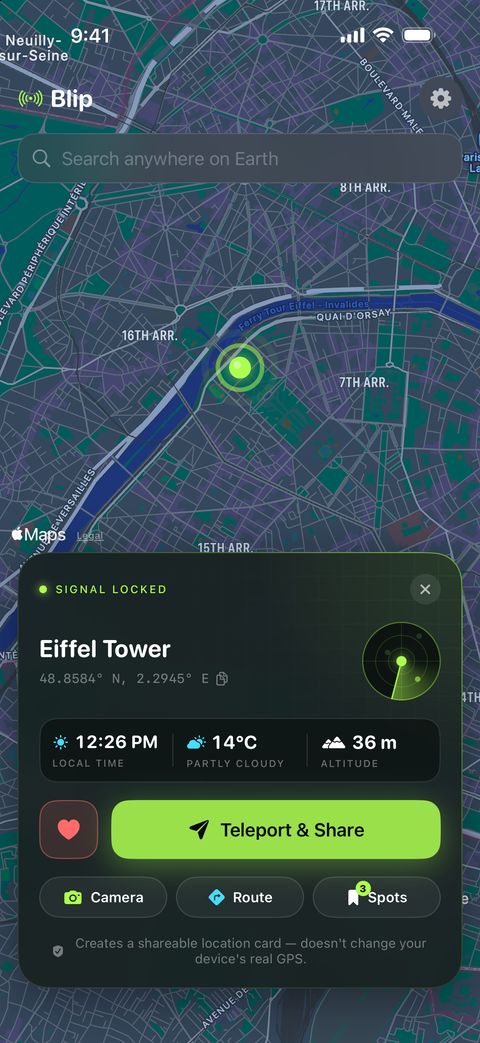
Type an address, landmark or city, or tap anywhere on the map. Blip shows the coordinates, altitude, local time and weather for that spot.
Make the card
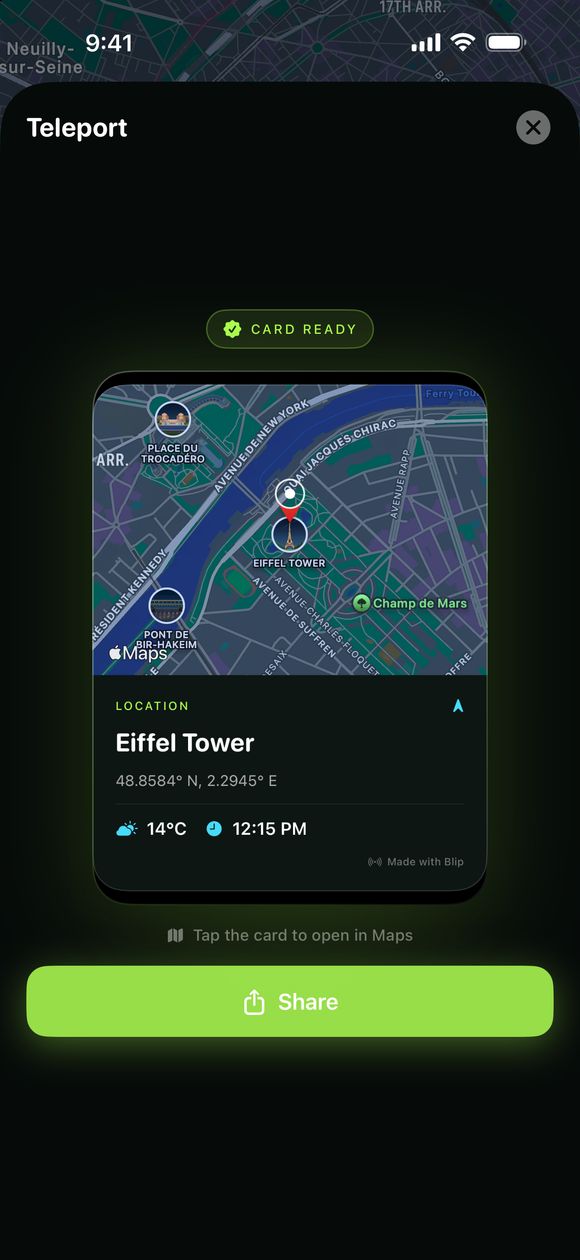
Blip draws a card with a map snapshot of the place, its name, and the local time and weather there.
Send it
Share through Messages, WhatsApp, Mail or any app in the share sheet. The card goes with an Apple Maps link, so the other person can open the place.
What’s on a card
Everything the other person needs to find the place
A Blip card is an image, so it looks the same in every chat app. The Maps link travels with it.
A map of the place
Every card starts with a map snapshot of the exact spot you picked.
Name, address or coordinates
The place name sits under the map, with its address or latitude and longitude.
Local time and weather
The card shows the time and the current weather where the place is, not where you are.
An Apple Maps link
The link travels with the card, so the other person can open the place or get directions.
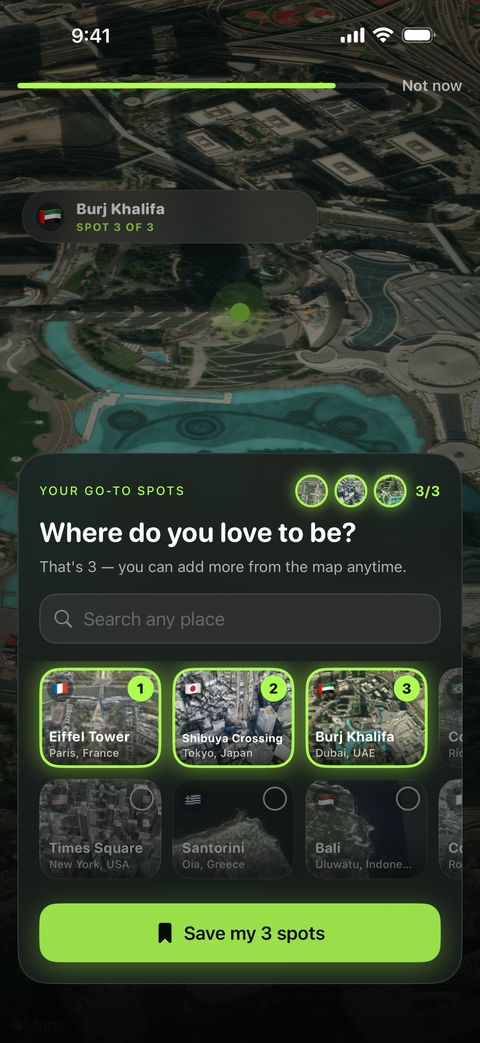
Saved spots
Keep the places you send often. 5 are free; Pro makes it unlimited.
Photo stampPro
Add a place-name badge to a photo before you share it. Part of Blip Pro.
Good for
- Sending a meetup spot instead of typing out an address
- Telling someone which hotel, trailhead or café you mean
- Sharing the places on your travel wish list
- Showing someone the time and weather where they’re headed
Place vs. location
Sharing a place isn’t the same as sharing your location
Blip sends a place you pick. It never touches your iPhone’s GPS, so Find My, Maps, games and every other app still see where you really are. Here’s how the ways to send a location on iPhone compare.
| Way to share | What the other person gets | Can it be a place you’re not at? | Updates as you move? | Changes what apps see as your location? |
|---|---|---|---|---|
| Messages: Send Pin | A one-time map pin in the chat | Yes, move the pin first | No | No |
| Live location (Messages or Find My) | Your real position, for an hour, the rest of the day, or until you stop | No | Yes | No |
| Apple Maps: share a pin or place | A Maps link to that place | Yes | No | No |
| Blip location card | An image card (map, place name, local time, weather) plus an Apple Maps link | Yes | No | No |
| Computer-based GPS spoofing tools | Apps on the phone read a simulated position | Yes | Depends on the tool | Yes, and it often breaks those apps’ terms of use |
Use it honestly. A Blip card shows a place you chose. It isn’t proof of where you are, so don’t use it to mislead people about your whereabouts.
Prefer the built-in way? Read how to send a pin on iPhone with Maps, Messages and WhatsApp.
Looking for a fake GPS or location changer app? Read what actually changes an iPhone’s location, and what it can cost you.
- No account. There’s nothing to sign up for.
- Your location stays out of it. Blip doesn’t ask for or read your iPhone’s location. It only knows the places you search for or tap.
- Saved spots stay on your iPhone.
- Photos: you pick one photo at a time, and Blip never gets your whole library. Stamped photos are saved only when you tap Save.
- Weather: to show it, Blip sends the coordinates of the place you picked to Open-Meteo. Maps and search use Apple’s MapKit.
- Ads and analytics: the free version shows ads from Google AdMob and asks your permission before tracking. Blip uses Google Firebase to understand how the app is used. Purchases go through Apple.
Free and Pro
Free to try. Pro when you want more.
Free
- Make cards for any place on Earth
- Share a card after a short ad
- Save up to 5 spots
- Cards carry a small “Made with Blip” mark
Blip Pro
- Unlimited sharing, no ads
- Cards without the “Made with Blip” mark
- Photo stamps
- Unlimited saved spots
Weekly subscription or one-time Lifetime purchase. Prices are shown in the App Store for your country.
FAQ
Questions people ask
Does Blip change my iPhone’s GPS location?
No. Blip makes an image card of a place you pick. Your iPhone’s GPS and Location Services stay exactly as they are, and every other app, including Find My, Maps and games, still sees where you really are. What actually changes an iPhone’s location.
What does the other person receive?
The card as an image, plus an Apple Maps link to the place. They don’t need Blip to see it.
Can I send a place I’m not at?
Yes. You choose the place, so it can be anywhere on the map. A card shows a place, not proof of where you are, so please use it honestly.
Does Blip need my location?
No. Blip doesn’t ask for or read your iPhone’s location. It only knows the places you search for or tap.
Does it work with WhatsApp?
Yes. Blip uses the iOS share sheet, so you can send a card to WhatsApp, Messages, Mail or any other app that appears there.
What’s free and what’s in Blip Pro?
Making cards is free, and free users share a card after a short ad. Pro adds unlimited sharing without ads, cards without the “Made with Blip” mark, photo stamps and unlimited saved spots.
Which devices does Blip run on?
iPhone with iOS 17 or later.
How do I send a pin without an app?
Apple Maps and Messages can both send a pin. Our step-by-step guide covers Maps, Messages and WhatsApp.